| Instructions to Check NIC Configuration and Status
1. Open Windows Powershell
- Press the Windows key on your keyboard.
- Type PowerShell and press Enter.
2. Check NIC Support Speed
- In the PowerShell window, type the following command:
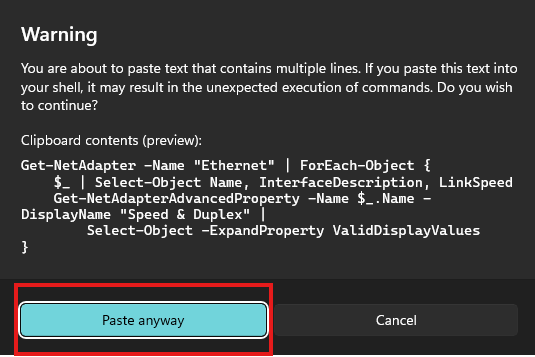
Get-NetAdapter -Name "Ethernet" | ForEach-Object {
    $_ | Select-Object Name, InterfaceDescription, LinkSpeed
    Get-NetAdapterAdvancedProperty -Name $_.Name -DisplayName "Speed & Duplex" |
        Select-Object -ExpandProperty ValidDisplayValues
} - Press Paste Anyway and press Enter.
- Take a screenshot of the information displayed on the screen.
3. View NIC Information
- In the same PowerShell window, type the following command and press Enter:
ipconfig /all
- This command displays detailed information about all network interfaces on your device.
- Take a screenshot of the information displayed on the screen.
4. Send the Screenshots